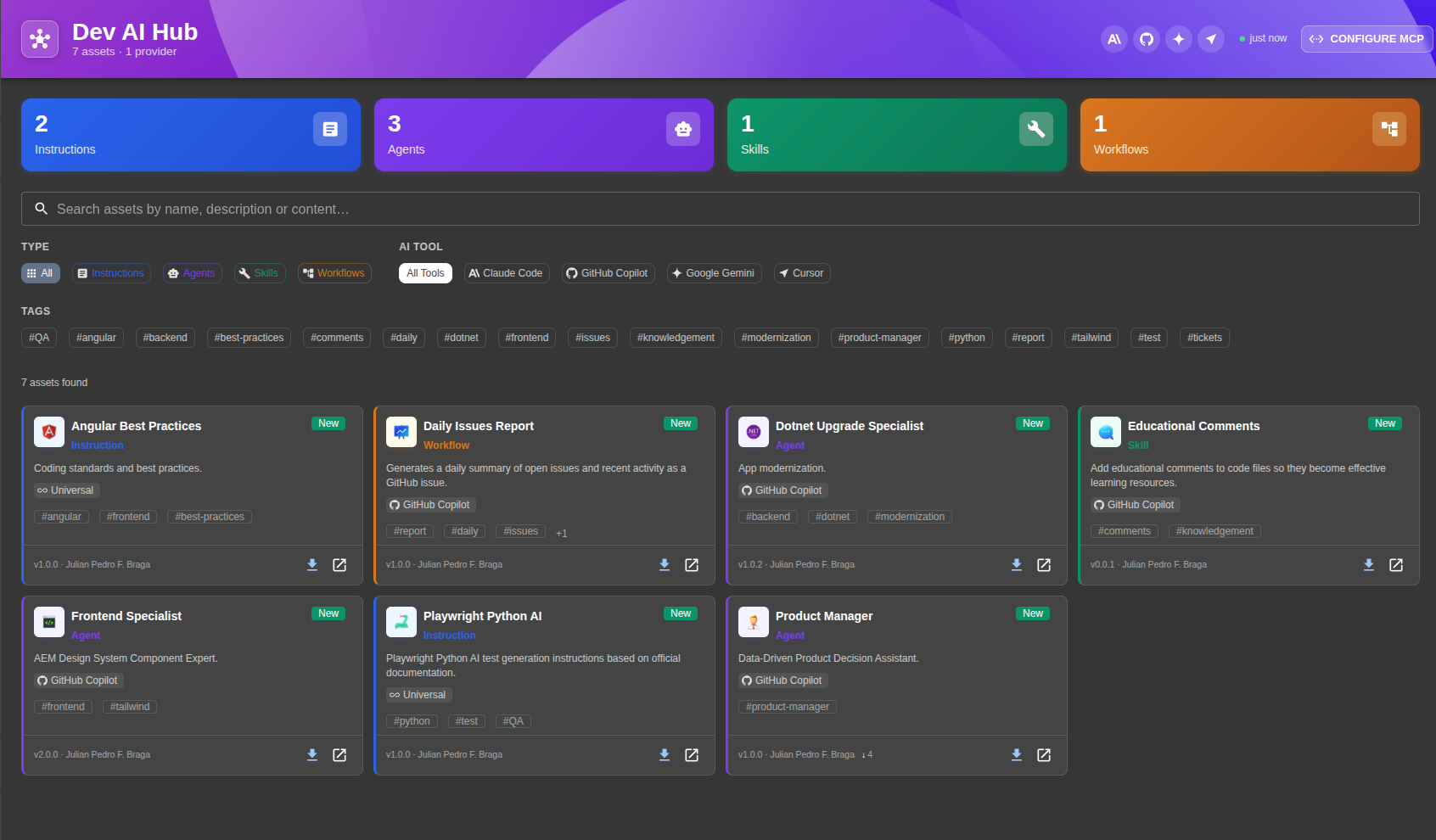
A centralized hub for AI Instructions, Agents, Skills, Workflows and Bundles — synced from Git, served via MCP, and available to every AI tool your team uses.
Works with your AI tools
Features
From Git sync to MCP server, Dev AI Hub handles the full lifecycle of AI assets in your organization.
Sync from GitHub, GitLab, Bitbucket, Azure DevOps or any Git provider. Assets are always up to date. Schedule syncs or trigger them manually.
Built-in Model Context Protocol server using StreamableHTTP — no separate process needed. AI tools discover and install assets automatically.
Per-tool path conventions auto-resolved. The right file ends up in the right place for each AI tool — Claude Code, Copilot, Gemini or Cursor.
Track how many times each asset has been installed, via MCP or direct download. See which assets your team uses most.
Browse, search and filter assets by type, tool and tags. Markdown preview, raw YAML, metadata — all in one panel. "New" and "Updated" badges keep your team informed of fresh content.
Uses Backstage database service with automatic migrations. SQLite for development, PostgreSQL for production. Zero manual setup.
Curate a list of third-party MCP servers in a mcp-catalog.yaml
file in your assets repo. One-click install for VSCode and Cursor — no Backstage deploy needed.
All UI strings are translatable via Backstage's native i18n system. Included locales: English, Brazilian
Portuguese and Spanish. Integrators can add extra languages in App.tsx.
Asset Types
Each asset is a YAML envelope plus a Markdown file. Bundles group multiple assets into a single installable unit with a step-by-step wizard.
Persistent behavior rules applied to every conversation in a project. Equivalent to system prompts.
Specialized sub-agents with a defined role, model and behavior. Used in multi-agent orchestration.
Reusable capabilities following the open Agent Skills standard. Compatible across tools.
Step-by-step processes that guide the AI through complex multi-stage tasks.
Group instructions, agents, skills and workflows into one installable unit. Install step-by-step via
wizard or download as a .zip.
MCP Server
Point any MCP-compatible tool at your Backstage instance. The ?tool=
param filters assets per client.
?proactive=true
?proactive=true
{
  "mcpServers": {
    "dev-ai-hub": {
      "type": "http",
      "url": "http://backstage:7007
        /api/dev-ai-hub/mcp
        ?tool=claude-code"
    }
  }
}
"List available agents in Dev AI Hub"
"Install the code-review skill"
"Search for security instructions"
Installation
Run yarn workspace backend add @julianpedro/plugin-dev-ai-hub-backend and yarn workspace app add @julianpedro/plugin-dev-ai-hub in your Backstage monorepo.
Add backend.add(import('@julianpedro/plugin-dev-ai-hub-backend')) to your
packages/backend/src/index.ts.
Add devAiHubPlugin to the features array in your createApp(). Page, sidebar and API register automatically.
Point at your Git repo in app-config.yaml and set your GITHUB_TOKEN. Done.
devAiHub:
  providers:
    - id: main-ai-assets
      type: github
      target: https://github.com/
        your-org/ai-assets.git
      branch: main
      schedule:
        frequency:
          minutes: 30
        timeout:
          minutes: 5

integrations:
  github:
    - host: github.com
      token: ${GITHUB_TOKEN}
Open source, Apache 2.0 licensed. Drop it into your Backstage instance today.